System
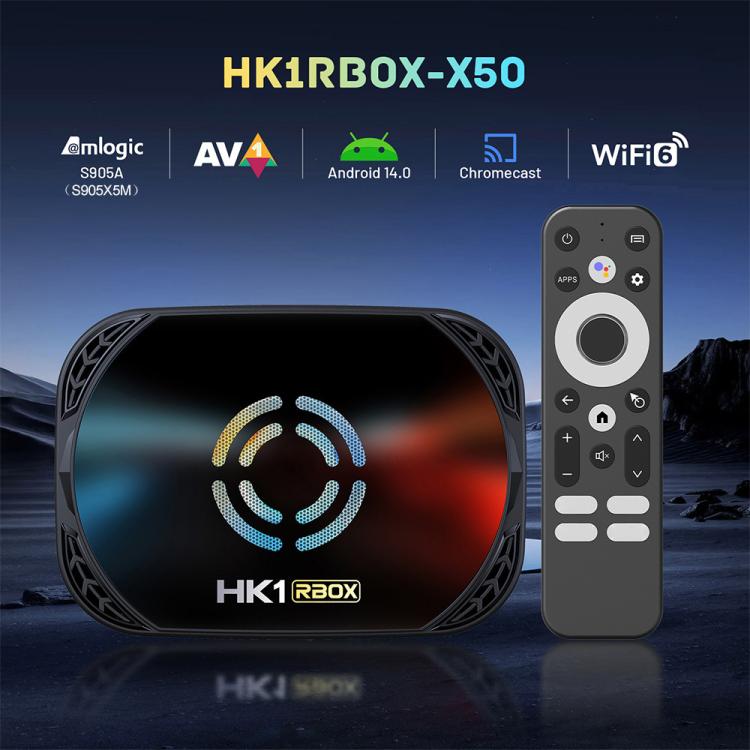
1. CPU: Amlogic S905A (S905X5M), Quad Core ARM Cortex A55 up to 2.5Ghz
2. GPU: ARM G310 V2, OpenGL ES 3.2, Vulkan 1.2 and OpenCL 2.0 support
3. RAM: 4GB
4. ROM: 32GB/64GB/128GB (optional)
5. WiFi: Support WiFi IEEE 802.11 a/ b / g / n /ac/ax, WiFi 6, Support 2.4G and 5G
6. Bluetooth-compatible: BT 5.0
I/O
1. HD: 4K 2K UHD Output, HDMI-compatible 2.1a
2. USB: 2 x USB2.0 normal type
3. DC: DC In 5V/2A
4. LAN: Ethernet: 1000M Ethernet
5. TF CARD: Support (not included)
6. AV: Support, need to purchase the AV cable
7. Optical interface: Supported, spdif
Software
1. OS: Android 14.0
2. Video/Picture Decoding:
AV1 MP-10 L5.1 up to 4Kx2K 60fps
VP9 Profile-2 up to 4Kx2K 60fps
H.265 HEVC MP-10 L5.1 up to 4Kx2K 60fps
MPEG-4 ASP L5 up to 1080P 60fps (ISO-14496)
WMV/VC-1 SP/MP/AP up to 1080P 60fps
AVS-P16(AVS+) /AVS-P2 JiZhun Profile up to 1080P 60fps
MPEG-2 MP/HL up to 1080P 60fps (ISO-13818)
MPEG-1 MP/HL up to 1080P 60fps (ISO-11172)
Multiple language and multiple format sub-title video support
MJPEG and JPEG unlimited pixel resolution decoding (ISO/IEC-10918)
Supports JPEG thumbnail, scaling, rotation and transition effects
3. Image Engine:
Support HDR10, HDR10+ processing
Inline AI-SR, Block noise, mosquito noise, spatial noise, contour noise reduction
4. Audio: Support MP3, AAC, WMA, FLAC, Ogg.
5. Image: HD JPEG, BMP, GIF, PNG, TIF
6. Language: Multi-Language
Appearance
1. Body Material: ABS
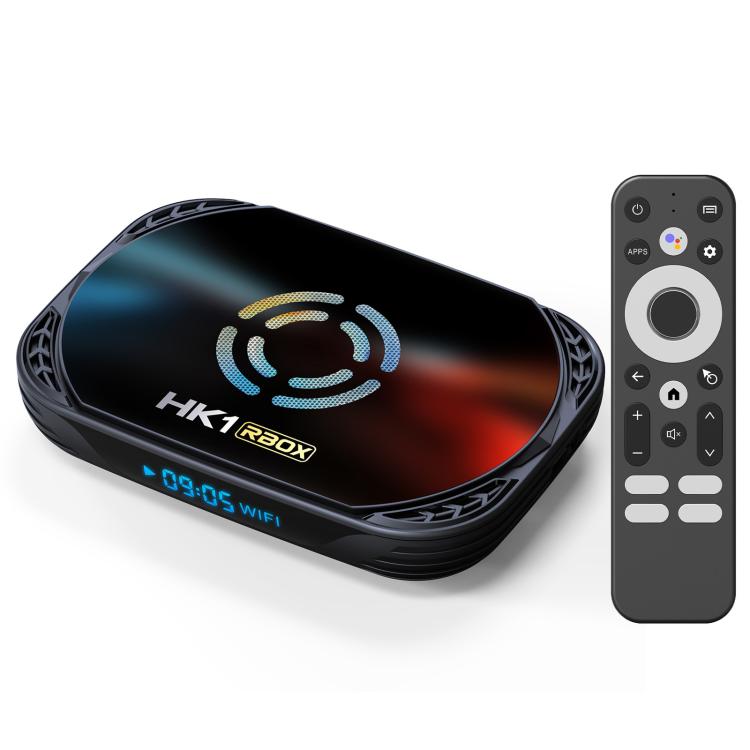
2. Size: 111x76x13(mm)
3. Weight: 0.120Kg
Package List
1. TV Box x 1
2. HDMI-compatible cable x 1
3. BT IR Remote x 1
4. User Manual x 1
5. Power adapter x 1
6. Package Box x 1
Specification:
|
Package Weight
|
| One Package Weight |
0.36kgs / 0.80lb
|
| One Package Size |
20cm * 12cm * 10cm / 7.87inch * 4.72inch * 3.94inch
|
| Carton Weight |
7.80kgs / 17.20lb
|
| Carton Size |
42cm * 30cm * 30cm / 16.54inch * 11.81inch * 11.81inch
|
| Loading Container |
20GP: 705 cartons * 20 pcs = 14100 pcs
40HQ: 1637 cartons * 20 pcs = 32740 pcs
|
|